
Access · VBA · Delphi · .NET
Your software runs the business. Modernize it without starting over
We keep business-critical applications evolving—Access and VBA, Delphi, shop-floor databases—and replace only the parts that can no longer carry the load. For Microsoft Access, we build the tooling ourselves.
The problem
When a proven application becomes a liability
Rarely because it stops working. Usually because everyone is afraid to touch it.
- One file, no history. The application is an ACCDB on a network share. Nobody can tell who changed what and when, and developers end up overwriting each other's changes.
- Knowledge locked in a few heads. Your business rules live in forms, queries, and VBA code—and often nowhere else.
- Passwords on the desktop. The SQL Server connection, database password included, ships inside the application, and remote access requires a VPN.
- Cut off from other systems. The application can't reach web services, the ERP, or reporting tools, so data gets exported and reconciled by hand.
- A dated user interface. Continuous forms and nested subforms where users now expect a tree view, a grid with totals, or a Gantt chart.
Why a rewrite is rarely the right first move
The real value of a mature application lies in its business rules: the edge cases, validations, and workflows that have found their way into forms, queries, and code over the years. A rewrite has to rediscover every one of them, specify it again, and test it again—while the old system still needs maintenance the whole time.
So we start by making the application changeable again: source control, clean interfaces, and a user interface people actually like to use. We replace a part only when it can't carry the load anymore—say, when the data outgrows the 2 GB size limit of an Access database file or many sites need to work on it at once.
And then one step at a time. Each step has a scope we agree on up front, and we plan and test the rollback and data consistency before cutover. If the old and new systems both write data for a while, reconciliation is part of the plan.
Case study · Chemical industry · since 2003
Three business-critical systems, evolved over two decades—asset management, a maintenance-shop information system, and warehouse management: maintained and extended in Delphi, migrated step by step to .NET 8, with a DevExpress UI, database tuning, and CI/CD.
Four paths, depending on where it hurts
Put it under source control
Your Access application as source code in Git: review changes form by form and module by module, and build the ACCDE from a known commit.
Refresh the UI, keep the logic
Tree views, grids with grouping and totals, a Gantt chart, and navigation—as controls on the forms you already have.
Connect it to your other systems
Call web services and parse JSON right in VBA; reach SQL Server through a data service instead of a password on the desktop.
Move parts to .NET
Where a part truly has to go: piece by piece, with an agreed scope and a tested rollback—the way we did it for the Delphi systems above.
What sets us apart
Our own tools, not slideware: the Access ecosystem
For Access, we build the tools that make modernization work—documented, including current status and limitations.
| Tool | What it solves | Status |
|---|---|---|
| Office SDK | Keeps the application as source code in Git or SVN and builds the ACCDB or ACCDE from a known state—the same on every machine and in CI. | In development Release 0.13.0; Windows 11 with 32-bit or 64-bit Access from Microsoft 365 |
| Forms Object Library | 31 ActiveX controls and objects for Access forms—tree view, grid, Gantt chart, navigation—that you configure in the property sheet and that work in ACCDE files and the Access Runtime. | Released Release 2.0.0, 32-bit and 64-bit Access |
| Office JSON | JSON in VBA with the MSXML object model: JPath queries per RFC 9535, amounts without silent rounding, and no runtime to install. | Released 32-bit and 64-bit Office (Microsoft 365) |
| Bootstrapper | New releases per user without admin rights once IT has installed the starter: installs with rollback, components in the bitness of the installed Office, removal under Apps. | Released Windows 11 with 32-bit or 64-bit Access (Microsoft 365) |
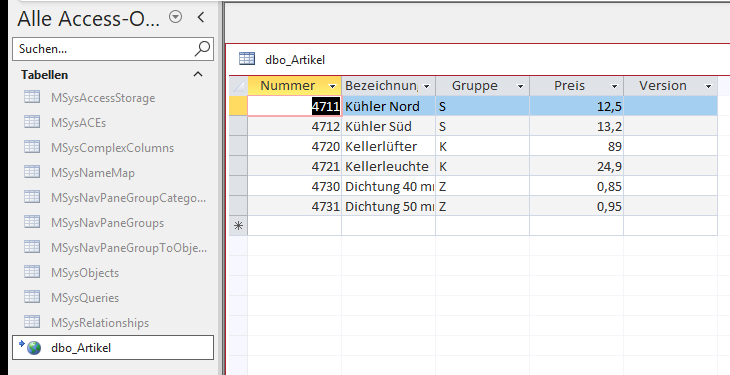
| Database Gateway and OData ODBC driver | SQL Server data without a database password on the desktop, permissions per table, and remote access without a VPN; Access can link and edit the tables without any VBA. | with Access and the Access Runtime, 32-bit and 64-bit |
The tools and the data service are documented in English, German, and Slovenian; the API references of the Forms Object Library and Office JSON are in English only.
From a single file to a repeatable build
Here is how an existing Access application is put under source control with the Office SDK. The commands and the sample project “Kunden” come straight from the tutorial.
-
Start from your existing application
Create a project and export the database. The export runs on a copy in a hidden Access instance—your original database is only read.
wkl-office new C:\Work\Kundencd C:\Work\Kundengit initwkl-office export Kunden.acproj -d C:\Data\Kunden.accdb
-
Source code instead of a binary
Every query, form, report, and module becomes a text file; tables become schema files, and lookup data becomes JSON Lines files. Whatever Access rewrites on every save is left out.
Kunden.acproj
source/
  queries/     *.query.txt
  forms/       *.form.txt
  reports/     *.report.txt
  modules/     *.bas
  classes/     *.cls
  tables/      *.table.json
  data/        *.jsonl
  references.json
-
Review changes like code
Your developers keep working in Access. The SDK then shows what changed, object by object and line by line, and the commit lands in the repository as readable text your team can review like any other code.
wkl-office status Kunden.acprojwkl-office diff Kunden.acproj form:frmKundenwkl-office commit Kunden.acproj -m "Add tax ID"
-
A repeatable build
You build from the repository, not from whichever copy was saved last.
checkcatches invalid sources, missing references, and passwords in queries before Access even starts.roundtripproves the sources are complete: exit code 0 means anyone who clones the repository builds the same application—the same objects, tables, data, and settings, though not a byte-identical file.wkl-office check Kunden.acprojwkl-office roundtrip Kunden.acprojwkl-office build Kunden.acproj -c Release
In development
Release 0.13.0 of the Office SDK runs on Windows 11 with 32-bit or 64-bit Access from Microsoft 365. Access 2016 through 2021, Windows 10, and builds with only the Access Runtime aren't supported, and a build needs a signed-in Windows session with Access. More about the SDK
Evidence you can verify
- Written so you can follow along. The guides go step by step: linking a table in Access, with screenshots, and from an empty server to your first query.
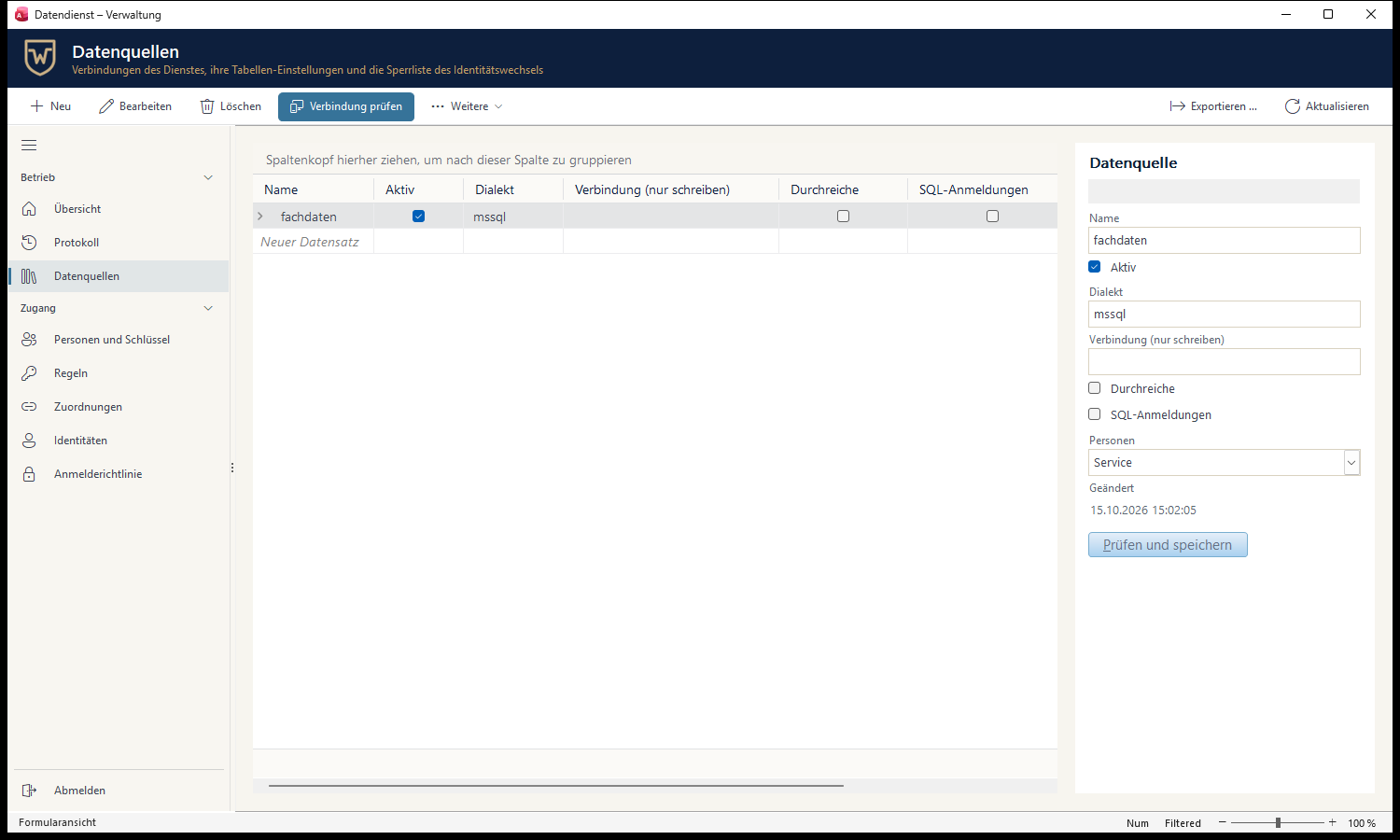
- We use it ourselves. The admin console of the data service is an Access application built on Forms Object Library and Office JSON—the screenshot at the top.
- Openly documented. Status, requirements, and limitations of every tool are in its documentation, not just on this page.
Read more: SDK tutorial, source layout, Access tools overview; data service overview, driver overview.
Your next step
- Want to keep your Access application in service? We'll look at it with you and tell you which of the four paths fits—schedule a call.
- Prefer to try the tools yourself first? The SDK tutorial takes you from a database to a repository in seven steps.
- Your legacy system isn't Access? Delphi, .NET, or a shop-floor database: see industrial software and our case studies.
The best way to find the right path for your application is to look at your actual system—not at a slide deck.
Schedule a call