
Office SDK
Develop in Access the way you would in Visual Studio with Azure DevOps—right inside the VBA editor
From the first line of code through work items, reproducible builds, and tests to a signed release and the evidence your customers ask for. Plus controls, an installer, a JSON parser, and data access from the same team.

The challenge
There's no shortage of Access add-ins. Each one covers a piece: exporting to text, inspections and refactoring, check-in, comparing two databases. The rest of the way you walk by hand—which version shipped, who changed what, does the app still run after that change, and what do you say when a customer asks for an SBOM and CRA evidence?
If you also work in Visual Studio and Azure DevOps, you know the difference: there, the whole path is one tool.
The solution
The Office SDK brings that path into the VBA editor and the command line. You keep designing in Access; the SDK keeps your application as text sources in Git, builds it reproducibly, tests it, ships it signed, and produces the evidence.
How you work with it:
- Create the project from your existing ACCDB: forms, reports, queries, and modules become text files in Git.
- Design in Access, and work in the VBA editor with a project explorer, code navigation, refactoring, and tests; work items and commits live next to the code.
- Build, test, and ship with one command: ACCDE, an MSI package, and a signed delivery for the Bootstrapper, with an SBOM and an evidence pack.
- Visual Studio in the VBA editor: a project files window like Solution Explorer with Git status, Go to Definition, Find All References, rename with preview, a problems list that jumps to the line, and tests at a click.
- DevOps on your own machine: work items as files next to the code, a pipeline from build through test and release candidate to delivery, and branches, pull, and push straight from Access—no server required.
- Evidence for your customers: an SBOM in CycloneDX 1.6 per BSI TR-03183-2 with every delivery, a signed delivery manifest, CRA documentation, and an evidence pack for each release.
- Built for automation and AI agents: every action is also a command that never prompts, with JSON output and a dry run; MSBuild and Visual Studio Code included.
- One vendor for the whole stack: the same team supplies the controls, the installer, the JSON parser, and the data access.
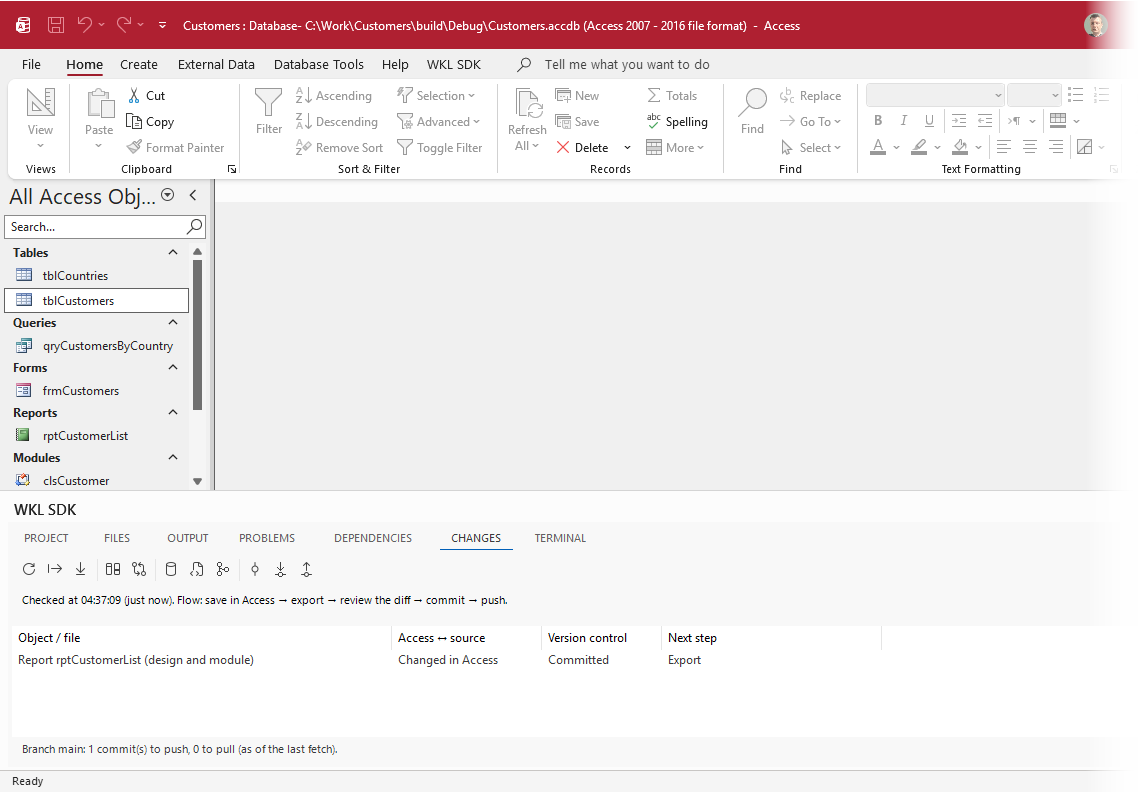
Access knows what changed
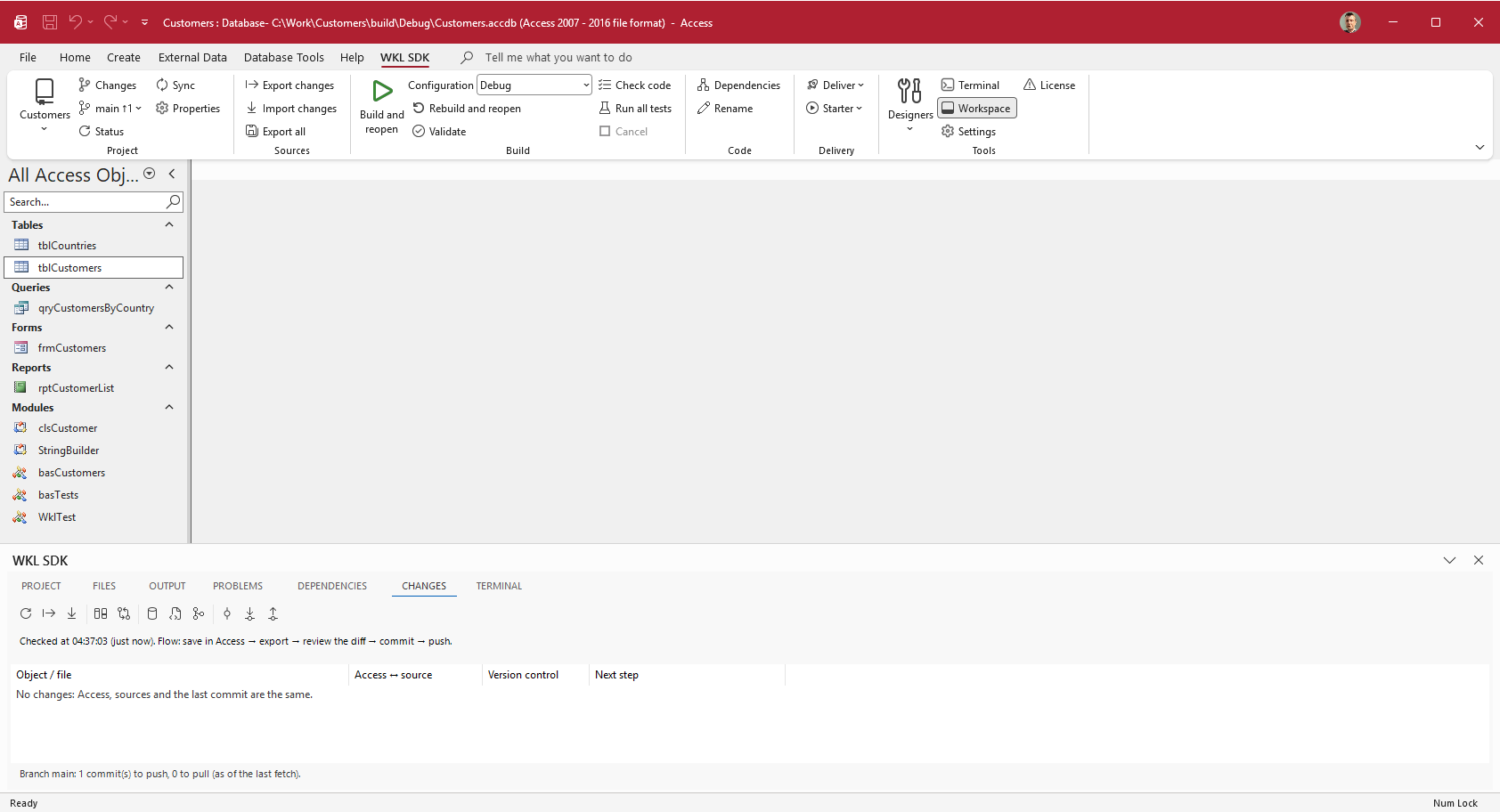
The Changes list compares three states: the database in Access, the text sources, and the last commit. For every object, it tells you where it changed and what to do next.
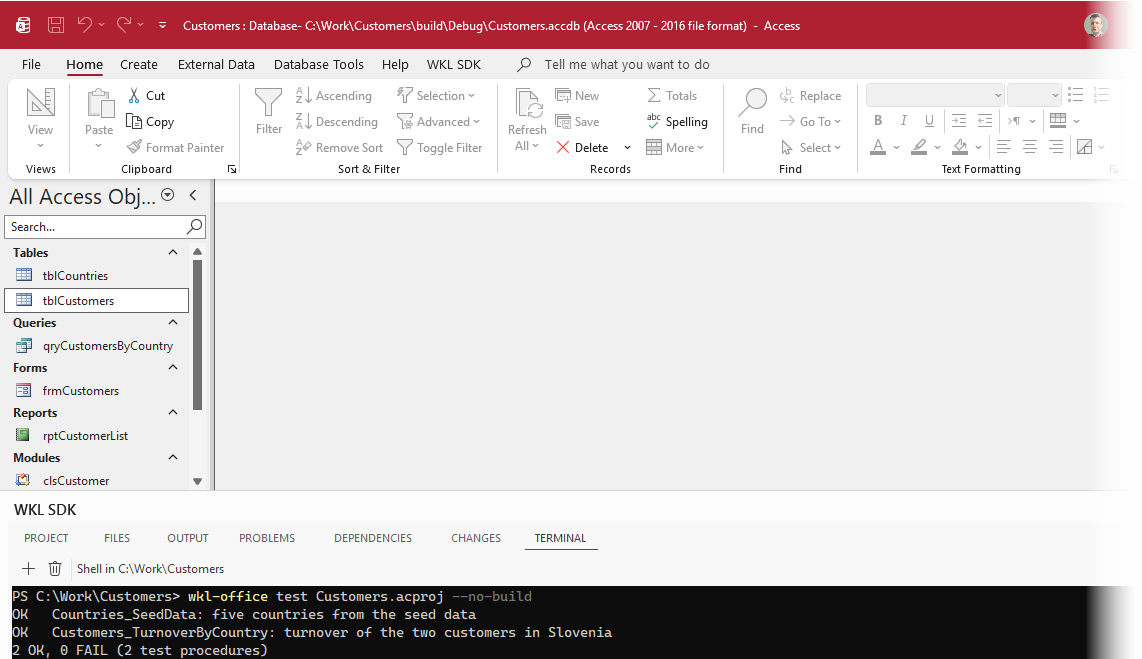
Tests that run without you
wkl-office test opens the application in a hidden Access instance, runs the test procedures, and reports each one. The same command runs in your pipeline, with an exit code and JSON.
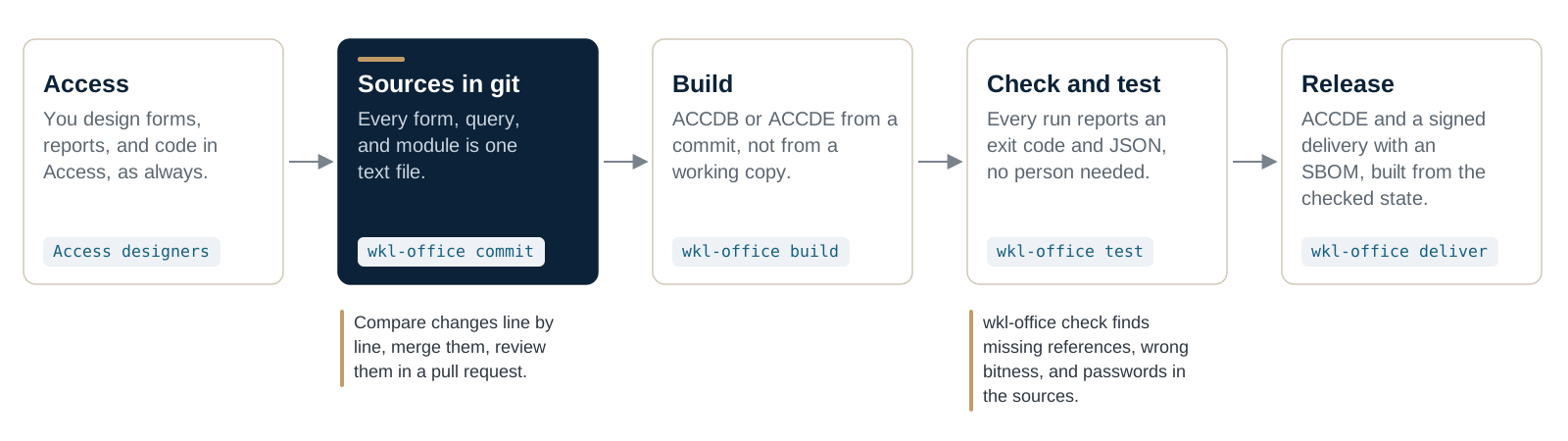
One path from Access to delivery
You keep designing in Access. The SDK keeps the application as text sources in git, builds it from a commit, checks and tests it, and ships exactly that state.
Features
- Project files window with Git status; work area with Project, Files, Output, Problems, Dependencies, Changes, Terminal, and History
- Code navigation: Go to Definition, Find All References, callers and callees, including Access objects
- Safe rename with preview and dry run; check, validate, build, and reopen
- Tests: all, one module, or the test at the cursor, in a hidden Access, with a result per test and a JUnit report
- Work items as files, a tree with multiple parents, a guided wizard, bugs straight from the problems list
- Pipeline: build, test, release candidate, publish, deliver—from one command or the ribbon
- Debug and Release configurations, ACCDE, delivery profiles, signed deliveries, MSI with the WiX Toolset
- SBOM (CycloneDX 1.6, BSI TR-03183-2), manifest with SHA-256 and ECDSA P-256, signature check in one command
- Reproducible: the same sources rebuild the same objects, tables, seed data, and settings
- Export and import your application's texts per language; UI in English, German, Slovenian, Croatian, and Italian
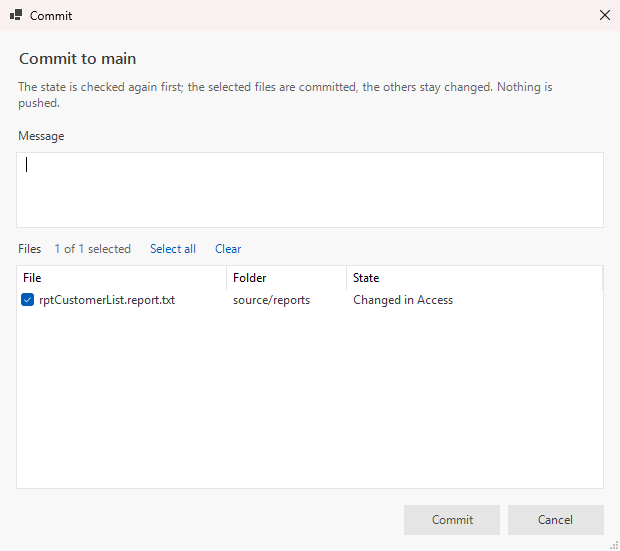
Commit without leaving Access
The dialog checks the state once more and commits only the files you select; the rest stay changed. Nothing is pushed until you say so.
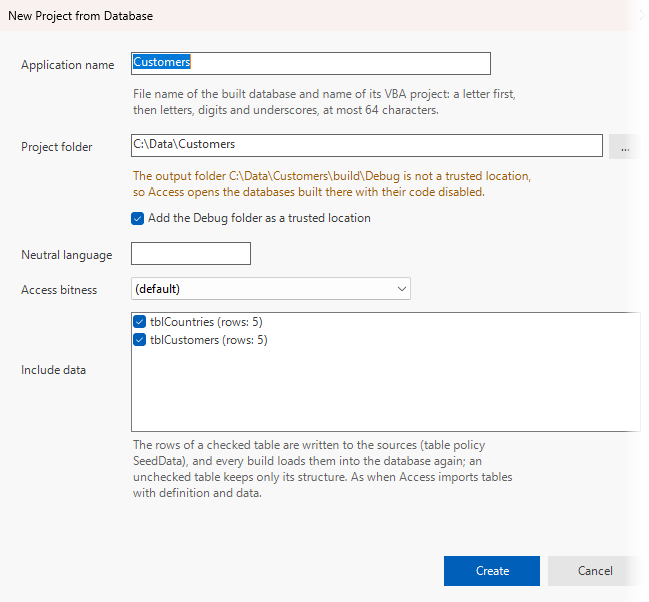
Start from the database you already have
The project is created from your existing ACCDB. Check a table, and its rows go into the sources as seed data that every build loads again.
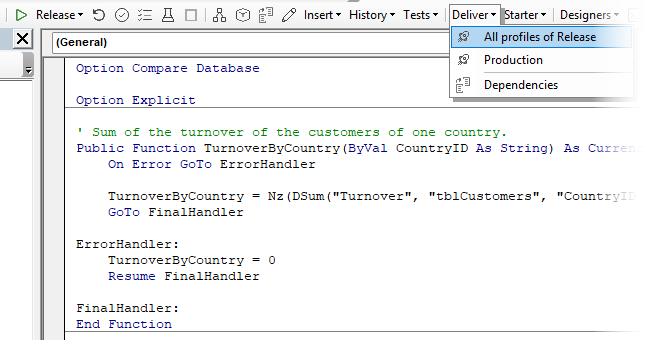
Ship straight from the VBA editor
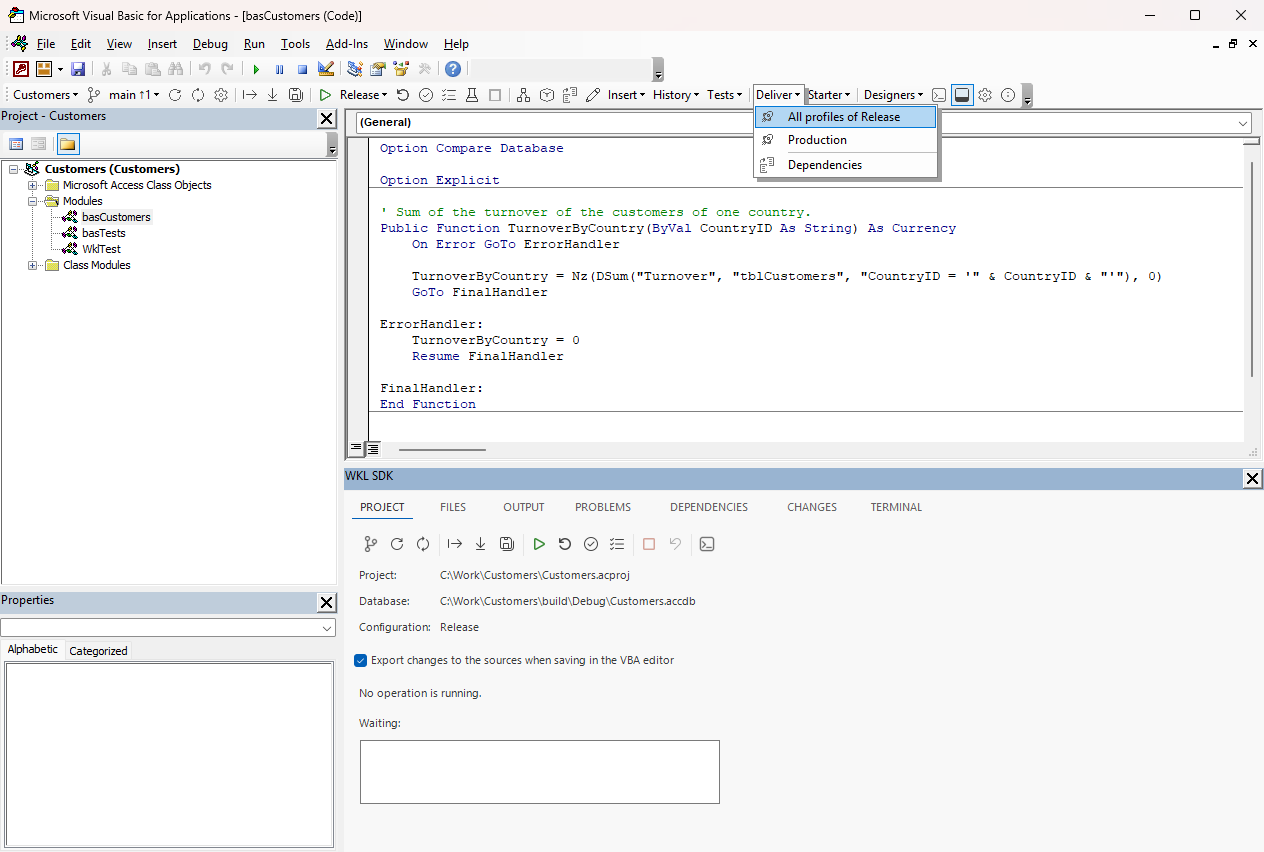
The SDK toolbar is in the VBA editor too: build, check, test, history – and Deliver, with the delivery profiles of the configuration.
More screens
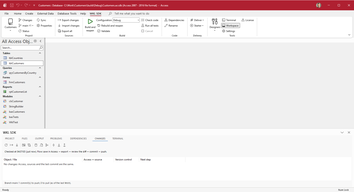
The Office SDK ribbon in Access: project, sources, build, code, and delivery. 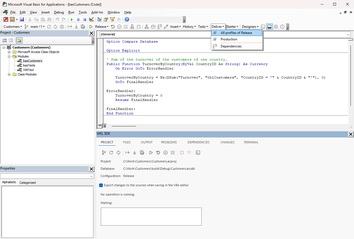
The VBA editor with module code and the SDK work area. 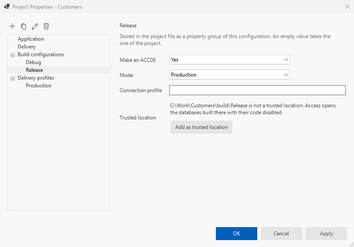
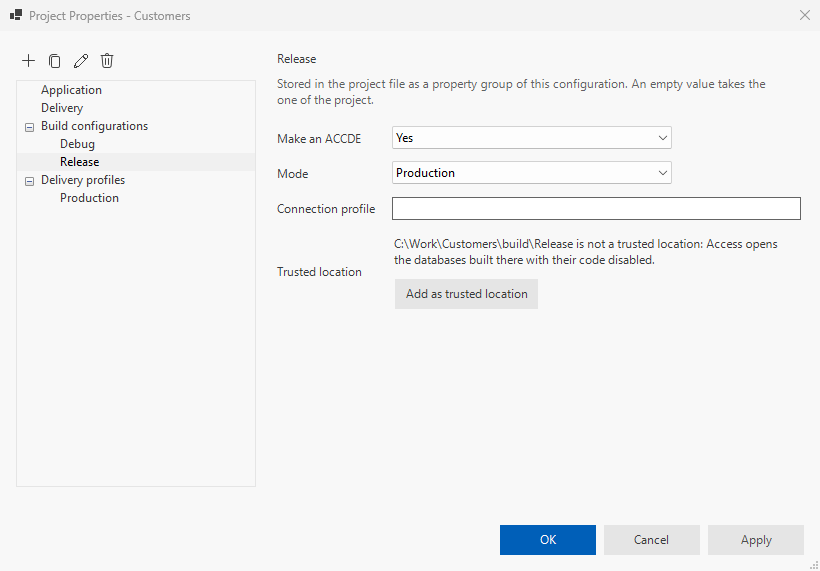
Project properties: the Release configuration with ACCDE and the Production delivery profile. 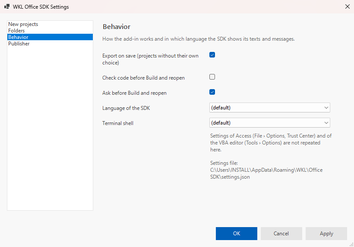
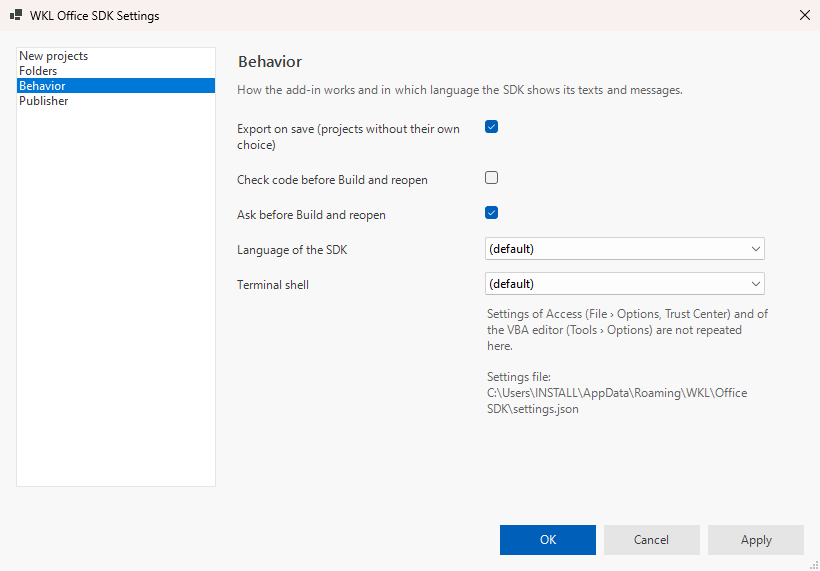
Settings: export on save, the SDK language, and the terminal shell.
Technical details
- Requirements: Windows 11 with 32-bit or 64-bit Microsoft Access from Microsoft 365, the .NET 10 runtime, and Git. Technical details and installation
Frequently asked questions
How is the SDK different from other Access add-ins?
Exporting to text, building from source, and headless tests exist elsewhere too—the free msaccess-vcs-addin does them well. The SDK delivers the whole path from one vendor: an IDE in the VBA editor, DevOps on your own machine, compliance evidence, automation, plus the controls, installer, JSON parser, and data access to go with it.
Does it replace the Access form and report designers?
Access stays your designer. The SDK writes every change to the sources and builds the application from them.
Do I need a DevOps server?
Everything lives in the repository: work items, the pipeline, and releases. Share it with your team through any Git server you like.
What do I get for my customers' compliance requirements?
With every delivery, an SBOM in CycloneDX 1.6 per BSI TR-03183-2 and a signed manifest; with every release, an evidence pack with a CWE matrix, CRA technical documentation, vulnerability handling, and NIS2 supplier evidence.
Where do I start?
With the tutorial: from your existing ACCDB to the first commit. Start the tutorial
Setup, examples and reference, step by step: it's all in the documentation.
Open the documentation