
Access · tools for Microsoft Access
Tools for Microsoft Access: modernize proven applications without rewriting them
Your Access application doesn't need a rewrite. It needs what Access is missing.
Four tools for teams that keep an Access application moving forward: modern controls for its forms, JSON in VBA, source and builds under version control, and delivery to every workstation. Each one works on its own.
- Forms
- JSON
- Build
- Delivery
Forms Object Library, Office JSON, Office SDK, and Bootstrapper—one tool for each stage of an application's life.
The starting point
The business logic works. Everything around it is the problem.
The value of an Access application lives in its forms, queries, and code—in the business rules its users rely on every day. What it lacks usually comes down to four places.
- The user interface. Access comes with text boxes, combo boxes, and subforms. It doesn't come with the tree, the grid with groups and totals, or the Gantt chart that users expect today.
- Data exchange. Web services answer in JSON, and VBA has no object model for it.
- Development. The whole application is one binary file: no history, no review of changes, no repeatable build.
- Delivery. Every release has to reach every workstation, with components in the right bitness—usually by hand and with admin rights.
Rewrite it?
Why stay with Access—and where it stops
Rebuilding an application on another platform means finding every rule in its forms, queries, and code, then rewriting and retesting it. That pays off when the application itself is holding the business back. When it's only missing what Access doesn't provide, these tools fill exactly those gaps and leave alone whatever already works.
What they don't change is what Access is: an Access application runs on Windows workstations with Access or the Access Runtime, and an Access database file holds at most 2 GB. When the data outgrows that or has to be shared beyond the local network, it moves to SQL Server, optionally behind a data gateway, and Access stays the front end. More in Data integration and data access.
Aside
Some Access applications have outlived three rewrites, two management teams, and several predictions of their imminent demise. Maybe there's a reason for that.
One tool per gap
From the form to the workstation
Each tool closes one of the four gaps and works on its own. Together, they carry an application through its whole life.
-
Forms that look the way users expect today
Forms Object Library: 31 controls and objects—grid, tree, Gantt chart, navigation, docking panes, validation. You set them up in the property sheet, program them in VBA, and they run in ACCDE files and the Access Runtime.
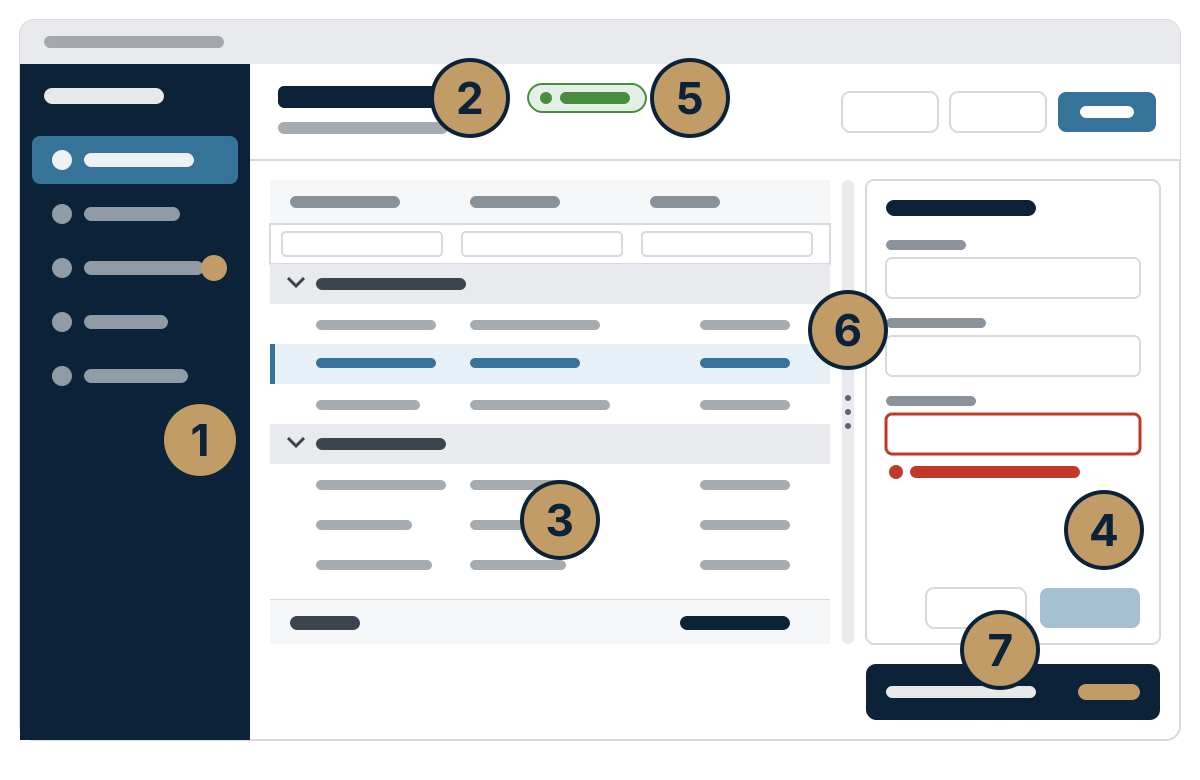
One form, put together from the controls—a sketch, not a screenshot. -
JSON in VBA—the way MSXML handles XML
Office JSON: load, query with JPath, read typed values, change, and write. Amounts come back without silent rounding, and you install a single library per bitness, with no .NET.
Dim doc As New JDocIf Not doc.LoadJson(text) Then Exit SubDebug.Print doc.GetString("$.customer.name")For Each order In doc.SelectNodes("$.orders[*]") Debug.Print order.GetCurrency("total")Next
-
Source files instead of a binary
Office SDK: the application lives as text in Git or Subversion. Changes are reviewed object by object like any other code, and the ACCDB and ACCDE are built from a specific commit. Access remains your design tool.
wkl-office diff Customers.acproj form:frmCustomerswkl-office commit Customers.acproj -m "VAT ID"wkl-office build Customers.acproj -c Release
-
Every release on every workstation
Bootstrapper: the user starts one EXE file. It installs the current release into their profile, registers the components to match their Office, and starts the application—no admin rights, with rollback.
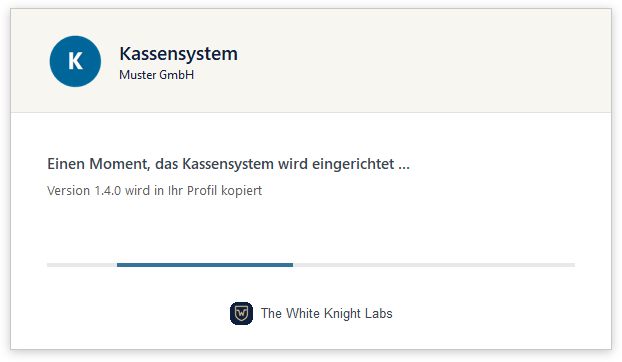
What a user sees the first time a new version starts. Sample data, German user interface.
Use them one at a time—they're built to work together
- No all-or-nothing bundle. Office JSON runs without the other tools, and the controls don't need the SDK.
- Designers from the ribbon. The SDK's Access add-in opens the Forms Object Library designers from its Designer menu—ribbon, shortcut menus, navigation pane, and application.
- From the old build tool to the SDK. An application managed with the Forms Object Library build tool or the Extensions add-in switches over once with
wkl-office migrate. - Built, then delivered. The SDK builds the application; the Bootstrapper brings it to every PC and registers the controls there in the bitness of the installed Office.
Status and requirements
What's released—and what isn't yet
| Tool | Status | Requirements | Documentation |
|---|---|---|---|
| Forms Object Library | Released Release 2.0.0, 32-bit and 64-bit Access |
Windows 10 or 11, Access from Microsoft 365 or the Access Runtime, .NET 10 Desktop Runtime in the bitness of Office; per-user registration without admin rights | English, German, Slovenian; API reference in English only |
| Office JSON | Released 32-bit and 64-bit Office |
one native library per bitness, no .NET, no runtime to install | English, German, Slovenian; API reference in English only |
| Office SDK | In development Release 0.13.0; Windows 11 with 32-bit or 64-bit Access from Microsoft 365; not supported: Access 2016 to 2021, Windows 10, builds with only the Access Runtime |
Access in a signed-in Windows session, for builds too | English, German, Slovenian |
| Bootstrapper | Released Windows 11 with 32-bit or 64-bit Access (Microsoft 365) |
IT installs the starter once; every release after that needs no admin rights | English, German, Slovenian |
Find your way into the docs
The right starting point for each task. The API references for the Forms Object Library and Office JSON are in English only.
| You want to … | Forms Object Library | Office JSON | Office SDK | Bootstrapper |
|---|---|---|---|---|
| get started | Install the released package | Tutorial | Tutorial | Deliver an application |
| get a task done | How-to guides | How-to guides | How-to guides | How-to guides |
| understand how it works | Core concepts | Values and limits | How it works | How it works |
| look something up | API reference | API reference | Reference | Reference |
| fix a problem | Troubleshooting | Troubleshooting | Troubleshooting | Error codes |
Know which tool your application is missing? Features, requirements, and limits for each tool are in the shop.
See the products